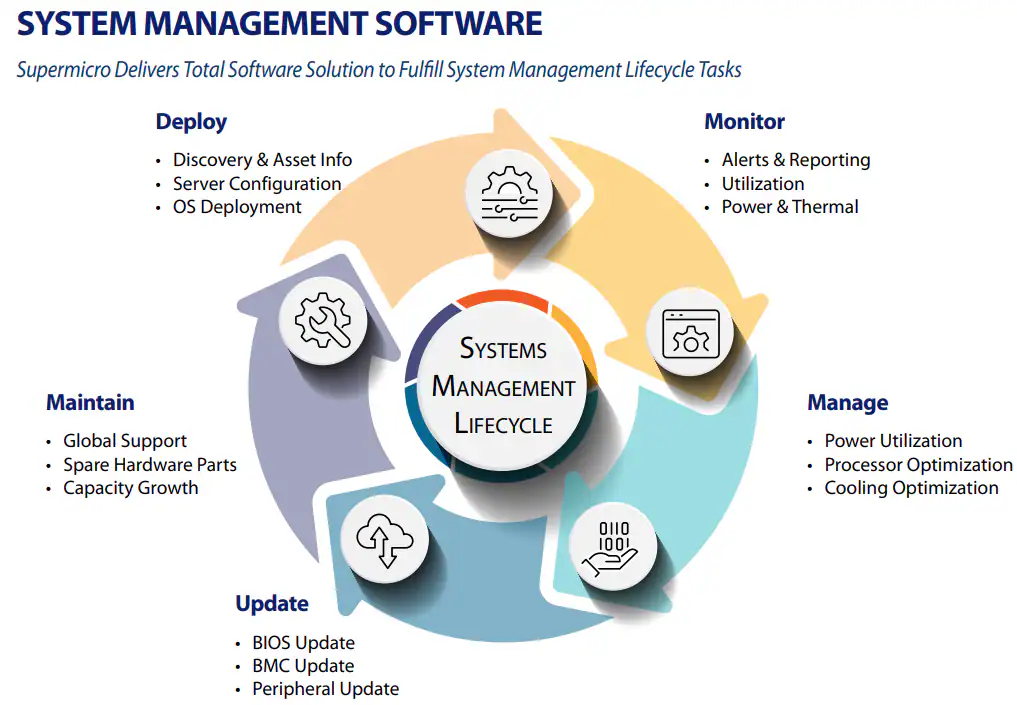
Supermicro's System Management Software Suite: Standard, Basic, Advanced and Enterprise bundles of tools for single-node to data center-wide management.
A set of specialized applications, offered as Standard, Basic, Advanced and Enterprise bundles.
Basic single-node monitoring and management for setup and maintenance.
No license required
Remote configuration, management and updates for a single node or small-scale deployments.
License: SFT-OOB-LIC
Medium- to large-scale management to improve performance, uptime and peripheral device management.
License: SFT-DCMS-SINGLE (optional SFT-DCMS-SVC-KEY add-on)
Data center-wide management, including security, proactive service and software-defined infrastructure.
License: SFT-DCMS-SINGLE + SFT-SDDC-SINGLE (optional SFT-DCMS-SVC-KEY add-on)
The tools that make up the System Management Software Suite
Remote monitoring and management of a host system: firmware, power, virtual media, remote console, logging and alerts.
A standard, secure API for managing converged, hybrid and software-defined data center environments.
Software-defined, composable infrastructure with a single console for managing the whole environment, including third-party devices.
An all-in-one tool for managing servers remotely from a single console.
A command-line utility for system deployment through day-to-day maintenance, covering software stack integration and management at any scale.
A UEFI tool, run locally or remotely, that assesses the health of components such as the processor and memory.
Integrations with vendor tools such as VMware vCenter, Microsoft SCOM and Nagios Core.
A daemon that collects OS-level information and reports it to the server's BMC firmware.
Centralized management of firmware updates across servers.
Monitors and manages server power consumption to reduce operating costs and carbon footprint.
An OS-level tool that monitors system health, including memory and drives, for remote manageability.
Local and remote tools, such as IPMICFG, SMCIPMITool and IPMIView, for monitoring and managing systems.
Which tools are included in each bundle
| Tool | Standard | Basic | Advanced | Enterprise |
|---|---|---|---|---|
| License | None required | SFT-OOB-LIC | SFT-DCMS-SINGLE (optional SFT-DCMS-SVC-KEY) |
SFT-DCMS-SINGLE + SFT-SDDC-SINGLE (optional SFT-DCMS-SVC-KEY) |
| BMC | Partial | Partial | Yes | Yes |
| Redfish API | Partial | Partial | Yes | Yes |
| SuperCloud Composer (SCC) | N/A | N/A | Partial | Yes |
| Supermicro Server Manager (SSM) | N/A | N/A | Yes | Yes |
| SuperServer Automation Assistant (SAA)1 | Partial | Partial | Yes | Yes |
| Super Diagnostics Offline (SDO) | Yes | Yes | Yes | Yes |
| Plug-ins for 3rd Party Software | N/A | N/A | Yes | Yes |
| Thin-Agent Service | Yes | Yes | Yes | Yes |
| Supermicro Update Manager (SUM) | Partial | Partial | Yes | Yes |
| Supermicro Power Manager (SPM) | N/A | N/A | Yes | Yes |
| SuperDoctor 5 | Yes | Yes | Yes | Yes |
| IPMI Utilities | Yes | Yes | Yes | Yes |
1 Onsite service through SSM, SAA or SUM service calls (Call Home) requires SFT-DCMS-SINGLE, SFT-DCMS-SVC-KEY and a Supermicro Global Service SLA. SAA combines SUM and IPMI utilities and supports X14/H14 and newer, X13/H13 and X12/H12 platforms.
Download the System Management Software tools
Our team of experts is ready to help you find the perfect solution for your business needs. Get personalized advice and competitive quotes.
We're here to help with any questions